
iCal Feeds
Export your vacancy information to third-party websites with iCal export feeds.

AvailabilityOnline provides an iCal feed that lets you share your vacancy information with many third-party websites. Easily sync your availability with popular booking platforms like Airbnb, Booking.com, Expedia, TripAdvisor, VRBO and more.
Here’s how it works
Using the iCal Feed tool in your AvailabilityOnline Administration Center, generate an iCal URL for each room/unit you choose. Then simply paste that URL into the appropriate location in the third-party website. This allows the third-party site to sync the availability information from AvailabilityOnline into the calendar showing in your listing there.
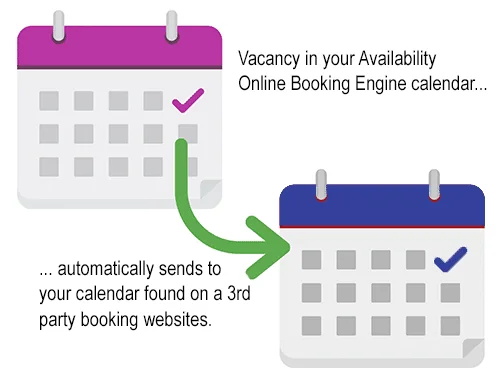
Availability from iCal feeds is not synced in real time. Third-party booking sites typically sync iCal feeds about every 30 minutes.
Booking.com allows iCal syncing only for properties with 20 room types or fewer, and only one unit per room type.
To start using the iCal Feed
- Log in to your Availability Online Administration Center.
- Click Booking Site Interfaces > iCal Feed Connections.
- Follow the instructions given on the page.
The iCal Feed feature is only available to Premium Plan subscribers. Availability Online does not offer technical support for Booking.com, Expedia or any third-party booking site. This feature only exports vacancy information to other sites. We do not import vacancy/bookings at this time.